Looking to start your online business? Confused between the two top CMS websites? WordPress and Magento are the most popular and affordable content management systems (CMS) that most people use to create blogging and e-commerce sites. These two look similar but have specific differences. WordPress is used for making websites, and operating it requires less technical knowledge. Meanwhile, Magento is designed to create and edit e-commerce websites.
Here, in this blog, we will understand what is WordPress and Magento. Along with this, we will also discuss the key differences between WordPress and Magento. This blog will give you an overview of the features, pricing, and security concerns related to both platforms.
What is WordPress?
WordPress is an online platform that helps users to create and manage their websites. According to Theme Hunk, more than 41% of websites use WordPress to manage their online business. It is mainly used to create blogging websites, news websites, online stores, and portfolios. You don’t need to have any technical skills or knowledge to operate it. WordPress has been in the content market for more than 2 decades now. Matt Mullenweg is the founder of the company.
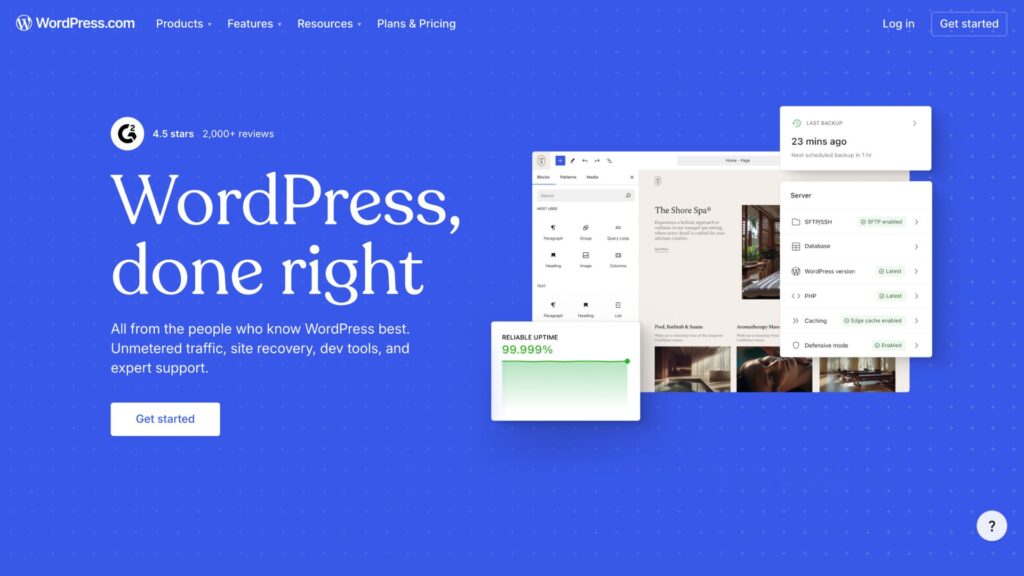
Key Components of WordPress
WordPress works by merging many key components to deliver the best results to its users. Let’s check out some of the features it provides:
Dashboard
It has a simple and easy-to-use interface for beginners. It is the main control hub of the website. This helps in managing, updating, and editing the website. It displays edits, comments, recent posts, designs, and plugins.
Themes
A vast number of themes are available from which you can choose the one that best suits your website. It controls the overall layout of the website, which includes colors, fonts, page structure, supports, and capabilities. While purchasing a theme, users should follow these rules to get the best out of it.
- Check for mobile-friendliness
- Run a quick speed test
- Accessibility of editing and customization
- Plugins compatibilities
Media Library
The media library is the place where all your visual content posted on your websites is saved for future reference. Visual content plays an important part in attracting the attention of readers. At the time of buying, look for:
- Sufficient storage space
- Fast loading of the media
- Integration of cloud storage
Plugins
One of the most important reasons why such a large number of people are using WordPress is the easy access to plugins. This makes the work easy by providing add-on features. You can install plugins such as:
- SEO optimization
- Speed optimization
- Social media integration
- Website’s security optimization
Widgets
These are blocks that will help in organizing the website. These small blogs are used to add content and features to a particular section of the website, it can be footer, search bar, contact information, advertisement banners, or filters.
SEO features
WordPress is famous for effective SEO practices. It offers a mobile-friendly website, along with other features, such as clean slugs, customizable URLs, and support for SEO plugins. Apart from this, it also helps in:
- Getting the website ranked on the search engines
- Guide on the proper use of keywords for better results
- Check the websites’ speed
- Usage of internal and external links
Database
This stores every type of website’s data, from posts to plugin data. The database is directly related to the content efficiency, websites’ speed, and stability.
Pros and Cons of WordPress
| Aspects | Pros | Cons |
|---|---|---|
| Best for | Easy for startups and beginners | Need to change the pattern according to the updates |
| Themes | Over 1000 themes available | Security risk when using an outdated theme |
| SEO | Helps in ranking your website | Using too many plugins can slow down the website |
| Pricing | Free and paid plans are available | Adding more themes and add-ons can make it expensive |
| Technical | Tutorials and guides are present for easy use | Sometimes customization may need technical knowledge |
| Mobile | It is mobile-friendly | Need to optimize for best results |
| Flexibility | Flexible for future growth | Need to add a reliable hosting site for better speed |
Pricing of WordPress
There are 3 pricing plans available, from which you can choose according to your needs. The price ranges between $50 and $1,500+ per year. The pricing depends on your add-ons, chosen themes, and additional features you avail.
- WordPress.org: It is a free version that anyone can choose at the beginning. It provides features like limited storage and functionalities. It is mostly used by beginners to create their work portfolio and manage smaller sites.
- WordPress.com: This pricing plan provides a larger space than the free one. Along with this, you can avail many themes that will attract your audience. It also provides some add-ons like Google Analytics, uploading videos, and customizing the fonts and colours.
- WordPress VIP: This plan provides all the features of the WordPress Premium plan. Along with this, it also provides SFTP/SSH, WP-CLI, Git commands, and GitHub Deployments.
What is Magento?
Magento is a company acquired by Adobe. It is an open-source website founded in 2008. It specifically designs and creates e-commerce platforms and is written in PHP. Adobe acquired Magento in May 2018 for $1.68 billion. It provides both free and paid versions. For creating a CMS, you need to use add-ons like Amasty, Mageworx, and Mageplaza.
Key Components of Magento
Magento, which is also known as Adobe Commerce, provides several features that help in creating a CMS website and an e-commerce website. Let’s check some of its key features:
Page Builder
This feature lets you build creative landing pages without any need to type code. You can also create homepages, testimonials, sliders, and forms. This saves time and minimizes the use of developers.
CMS Pages
You can create different pages required for a CMS website. It includes the About Us page, Contact Us, and Privacy Policy pages. CMS Pages offers the creation of unlimited pages and can add customized layouts, metatags, and a page builder. It supports multiple languages and multiple pages.
Widgets
It makes the website more useful and attractive. You can add pages like new arrivals, best sellers, and category pages for your e-commerce site. This feature helps in enhancing the user’s experience and is effective for promoting your products or services.
Admin Panel
It is the main panel, where owners store their important information about the website and related documents. This provides stats of sales, orders, inventory, and taxes, which make it easier for the website owner to handle and analyze the profits and losses.
Themes and Design
It supports a modern theme that is mobile-friendly and supports customization. These themes help in modifying the layout and adapting to the growing market. Updated themes not only give the website a trendy and engaging look but also support modern-day devices.
Content Management System
CMS is the all-in-one solution for the problem of managing different pages of a website. It allows managing both e-commerce and blogging sites. Here, you can create blogs, static pages, and useful content easily. You need to add a plugin to use this feature on Magento.
Database
Magento works based on the MySQL or MariaDB database. A database stores important data that helps manage and analyze the product and orders. It supports indexing for better performance. It is best for handling large data efficiently.
SEO
Magento has a built-in SEO tool that helps in generating slugs, meta titles, meta descriptions, XML sitemap, and snippets. It also provides access to multiple languages, which makes it best for targeting the international market. Its built-in tool helps in improving the ranking and increasing the organic traffic of a website.
Pros and Cons of Magento
| Aspects | Pros | Cons |
|---|---|---|
| Customization | Flexible, you can modify everything from checkout to pricing. | Increases the requirement for the developers. |
| Best for | It is best for large organizations with complex products and inventories. | Complex for smaller stores and organizations. |
| Pricing | Good for long-term ownership. | Costing for hosting, extension, and development is expensive. |
| Performance | Good for faster setup and optimization. | Need to constantly optimize the platform. |
| Maintainance | Useful for larger teams for predictable upgrades. | Need frequent updates for developers, high maintenance. |
| Plugins | For advanced needs, many high-quality extensions are available. | Expensive plugins, fewer extensions than WordPress. |
| SEO | Built-in SEO is useful for multiple websites. | More manual work than WordPress. |
Magento Pricing
There are three pricing plans for Magento/Adobe Commerce. It includes Adobe Commerce as a Cloud Service (SaaS), Adobe Commerce on Cloud (PaaS), and Adobe Commerce Optimizer. It doesn’t provide fixed pricing; you need to contact sales to know the exact pricing for each plan.
- Adobe Commerce as a Cloud Service: It offers several features, including core commerce, b2b operations, promotions, global expansion, content authoring, and asset management. Adobe Commerce Intelligence and are under the add-ons section.
- Adobe Commerce on Cloud: It offers all the features from the SaaS plan, with the add-ons of some features like Digital Storefront, Content authoring, Adobe Commerce Intelligence, Payment Services, and Order Management.
- Adobe Commerce Optimizer: It offers features like Catalog, Global expansion, Merchandising, Data-powered personalization, Content authoring, and Merchandising reports.
WordPress vs Magento Security Concerns
| Aspect | WordPress | Magento |
|---|---|---|
| Attack Rate | Higher attack volume | Lower |
| Security | Stong | Good |
| Weakness | Add-on themes and plugins can lead to a higher risk of attack | Extension, custom code, and misconfigurations |
| Exploitation | High | Low |
| Maintanance | Low | High |
| Best For | Small and beginner organizations | Larger team |
Key Differences between WordPress and Magento
WordPress is a CMS website that is best for beginners. It powers a large number of blogging and news websites from all over the world. It is widely used because of its ease of use and flexibility. WordPress is best for small and medium organizations, with its simple dashboard, free add-ons, and low price, anyone without less to no technical knowledge can start.
Meanwhile, Magento or Adobe Commerce is a premium website that requires high-end technical knowledge. It is designed for large organizations. Magento provides an advanced catalog and high scalability.
Let’s understand the major difference between WordPress and Magento with the help of a table.
| Aspect | Magento | WordPress |
|---|---|---|
| Aspect | Magento | WordPress |
| Page Management | Need technical expertise | Easy |
| CMS | Good | Best |
| Themes | Only a few options are available and require the developer to update | More than a thousand varieties |
| SEO | Strong SEO tool | Excellent with plugins |
| Management | Technical and advanced | Effective and beginner-friendly |
Wrapping Up
In this blog, we have discussed the differentiation between WordPress vs Magento in detail. Looking for your answer, which is the best between the two? The answer is simple: it depends on your requirements. If you are an experienced business firm and have a large team of developers that can guide you through the process and have a great budget, you must choose Magento. But if you are just starting, then WordPress is the best option for you.
Related: B2B Content Marketing Funnel: Different Stages and How it Works